Welcome to XLua
Orientation
If you already know Lua and what XLua is and just need refresher info, below are links to the more common areas of the manual users frequently reference. If you are newer to Lua/XLua and want to learn more, then please read on through each of the manual sections. Do check out the Examples section also.
XLua is a Lua Language interpreter plugin package maintained by Laminar Research and designed for aircraft authors to enhance their products via Lua scripting. No fancy software or compiler is required, all you need is a good text editor and you can begin customizing your aircraft in exceptional ways.

The Lua language itself is a simple, yet powerful, text based scripting language that is very similar to pseudocode, so it is easy to both read and write by a wide range of skill levels. If you are new to Lua programming, we recommend the Lua Reference Manual as a logical place to begin. This XLua manual does assume you have reasonable knowledge of Lua programming.
XLua is but one of multiple Lua interpreters available for X-Plane such as SASL / Gizmo / FlyWithLua, each differing in their available features and API functions, and XLua is probably the simplest and most limited version; however, it still packs a punch for 95% of most users needs! Many of Laminar's default aircraft are customized with XLua to improve their systems simulations, their sound simulations, and enhanced special effects such as fire, sparks and smoke etc.
Using XLua, an aircraft author can read and write default X-Plane datarefs as well as create custom datarefs. Authors can also create custom commands and augment or override default ones. A significant portion of X-Plane aircraft behaviors are governed by datarefs and XLua can be a powerful tool to refine, improve and enhance your aircraft, both in its performance and its eye-candy.
XLua possesses no graphics drawing capabilities like SASL or Gizmo and therefore, cannot draw custom gauges, EFIS displays or user interfaces; however, it can be used to control generic instrument graphics through datarefs, which does make it suitable for creating custom EFIS behaviors in conjunction with the Planemaker panel editor and your own custom graphic files. X-Plane's default aircraft EFIS screens are implemented in this way.
Download / Installation
The XLua package may be obtained for your aircraft project in one of two ways listed below. The next chapter on Package Organization shows you where and how to organize the XLua package files in your aircraft folder.
-
OPTION 1: Copy an xlua folder from a default Laminar aircraft such as the SR22 or 172 and remove all the scripts & folders inside the scripts folder and create your own from scratch. This is probably the quickest method; however, there is no guarantee you will be getting the latest version of XLua, therefore Option 2 below is recommended.
-
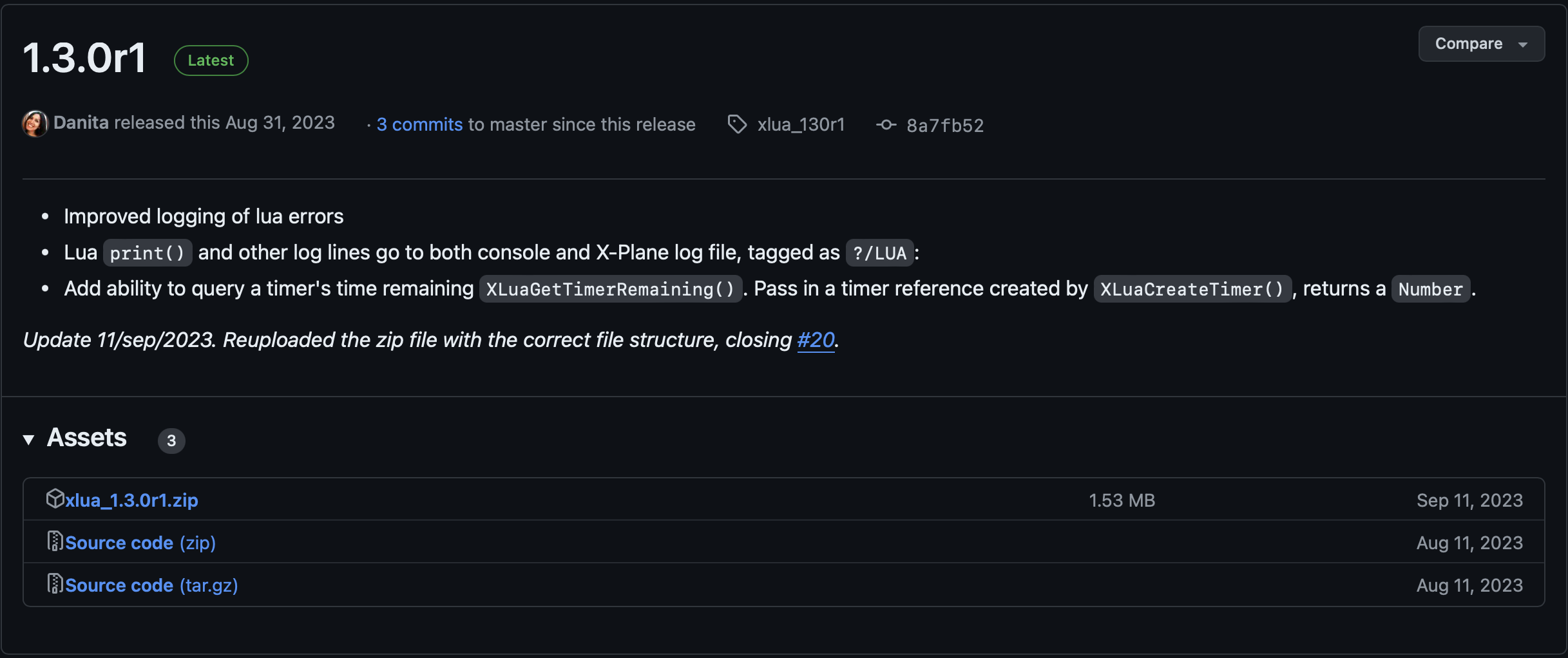
OPTION 2: Download it from github.com. The latest and greatest version of XLua can always be obtained through XLua's Github Repository page. On the right side of the main repo page, look for the [Releases] section, click the latest button, then on the following page, download the latest *.zip file. As of this writing, the latest version is 1.3.0r1 as shown below. You can also click the image below to download the Version 1.3.0 package directly, unzip and copy it to your aircraft folder.